Pay In Local Currency
Pay in Your Local Currency with Stripe Adaptive Pricing
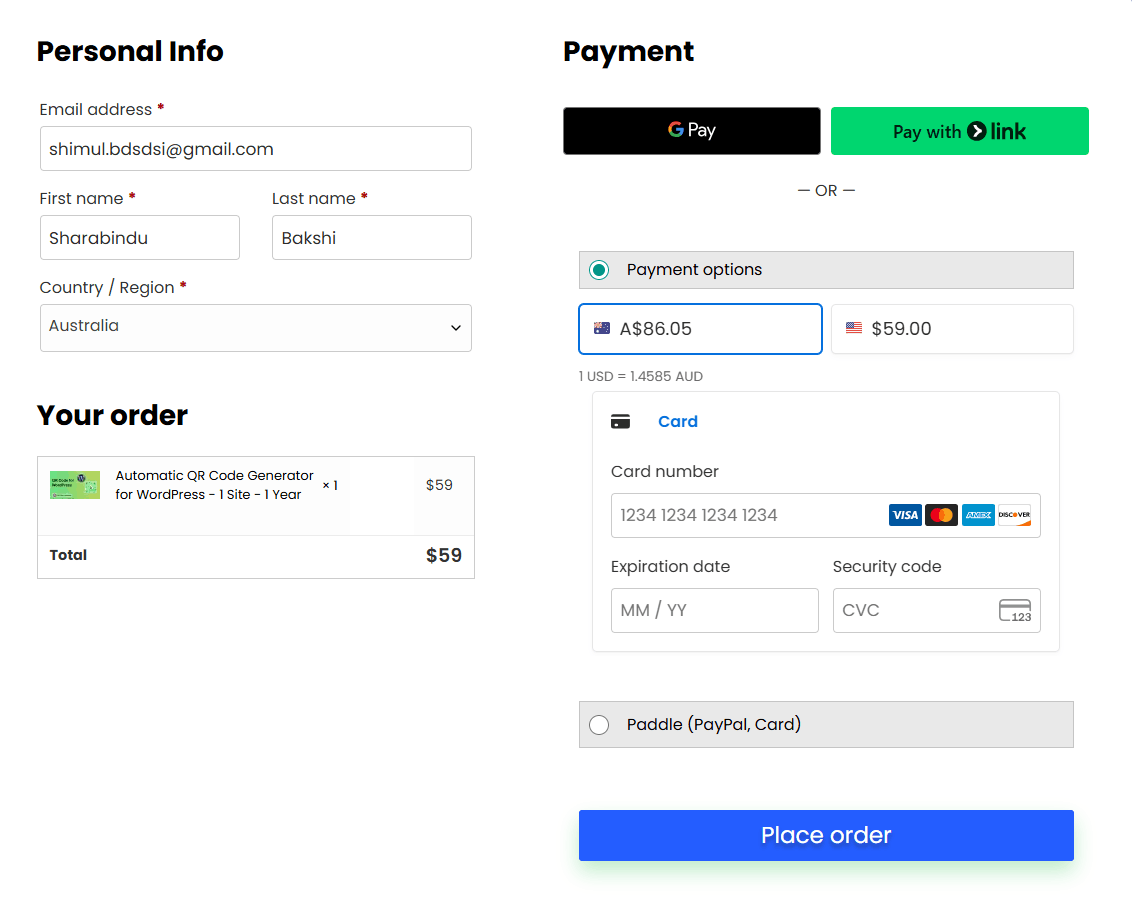
We now support local currency payments via Stripe, making it easier for customers worldwide to purchase our plugins without worrying about USD conversions.
With Adaptive Pricing, Stripe automatically detects your location and displays prices in your local currency, providing a smoother and more transparent checkout experience.
How it works
- At checkout, Stripe detects your country automatically
- The plugin price is converted into your local currency in real time
- You can pay using your preferred local or international payment method
- Stripe handles all currency conversions securely
Key Advantages
- Localized Pricing
Prices are shown in your local currency for better clarity and trust - Real-Time Exchange Rates
Accurate pricing based on exchange rates (locked for 24 hours) - More Payment Options
Access region-specific payment methods such as:
iDEAL, BLIK, Bancontact, Pix, UPI, and more - Better Checkout Experience
Customers are more likely to complete purchases when paying in familiar currency - Global Coverage
Available in 150+ countries worldwide
Example
If a plugin costs $40 USD, customers in different regions will see:
- Europe → Price displayed in EUR (€)
- India → Price displayed in INR (₹)
- Brazil → Price displayed in BRL (R$)
No manual conversion needed—everything is handled automatically.
Important Note
Adaptive Pricing is applied automatically where supported. In some cases, payments may still be processed in USD depending on your location, currency availability, or selected payment method. Tax and VAT are Free.
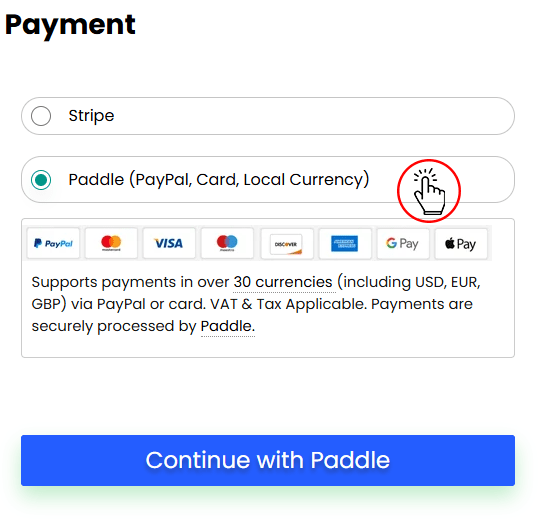
Pay in Your Local Currency with Paddle
Paddle Payment Gateway will automatically convert the plugin price using the base price into the following 30 currencies based on the customer’s location. If a customer purchases from a country where we do not support their local currency, the customer will see the plugin price in USD currency.
| Code | Name |
|---|---|
| USD | US Dollar |
| EUR | Euro |
| GBP | Pound Sterling |
| ARS | Argentine Peso |
| AUD | Australian Dollar |
| BRL | Brazilian Real |
| CAD | Canadian Dollar |
| CHF | Swiss Franc |
| CNY | Chinese Yuan |
| COP | Colombian Peso |
| CZK | Czech Koruna |
| DKK | Danish Krone |
| HKD | Hong Kong Dollar |
| HUF | Hungarian Forint |
| ILS | Israeli Shekels |
| INR | Indian Rupee |
| JPY | Japanese Yen |
| KRW | South Korean Won |
| MXN | Mexican Pesos |
| NOK | Norwegian Krone |
| NZD | New Zealand Dollar |
| PLN | Polish Zloty |
| SEK | Swedish Krona |
| SGD | Singapore Dollar |
| THB | Thai Baht |
| TRY | Turkish Lira |
| TWD | New Taiwan Dollar |
| UAH | Ukraine Hryvnia |
| ZAR | South African Rand |
How To Use:
On the checkout page, select Pay in Local Currency and click on the Pay Now button. After that, the currency will be selected according to your location.
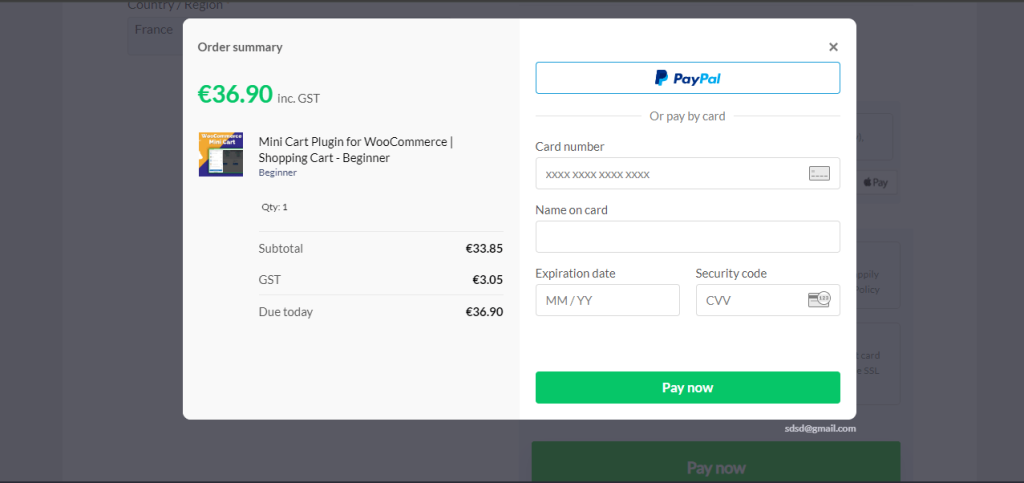
Example as Euro:
Mini Cart Plugin – Beginner Plan is currently priced at 40 USD. But if you check out from euro currency area then the price displays as a euro