
Product images that play , not just sit there
WooCommerce Video Gallery Plugin
Add YouTube, Vimeo, or MP4 video straight into your product gallery — including every variation — and track exactly how much video drives to cart.
Live since 08 Sep, 2026
Version 1.0.0
Updated 08 Sep, 2026
Three ways to show it, one plugin to run it
Pick the layout that fits your theme — vertical slider, horizontal slider, or a full lightbox — and switch anytime without rebuilding your product pages.
Vertical, horizontal, or lightbox
Thumbnails on the side for image-heavy catalogs, a horizontal strip for mobile-first stores, or a full-screen lightbox for a cinematic product reveal. Every layout supports mixed image-and-video thumbnails out of the box.
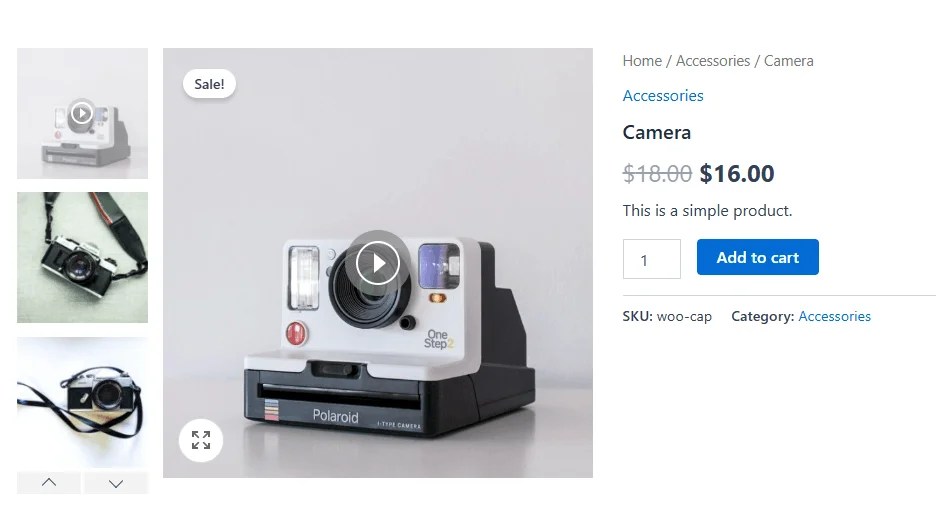
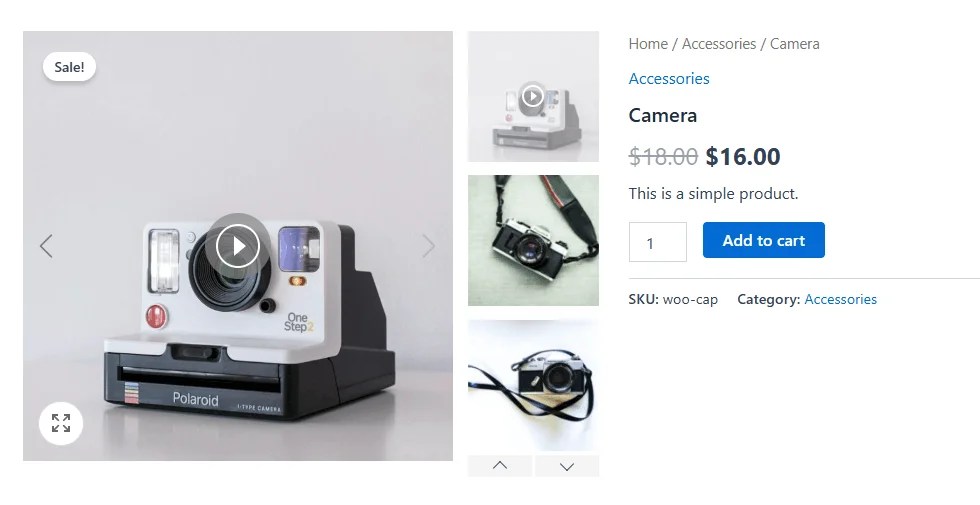
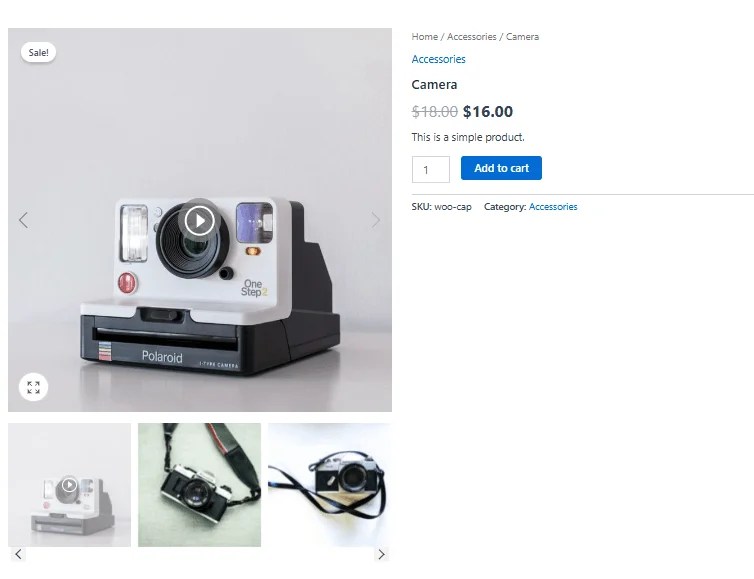
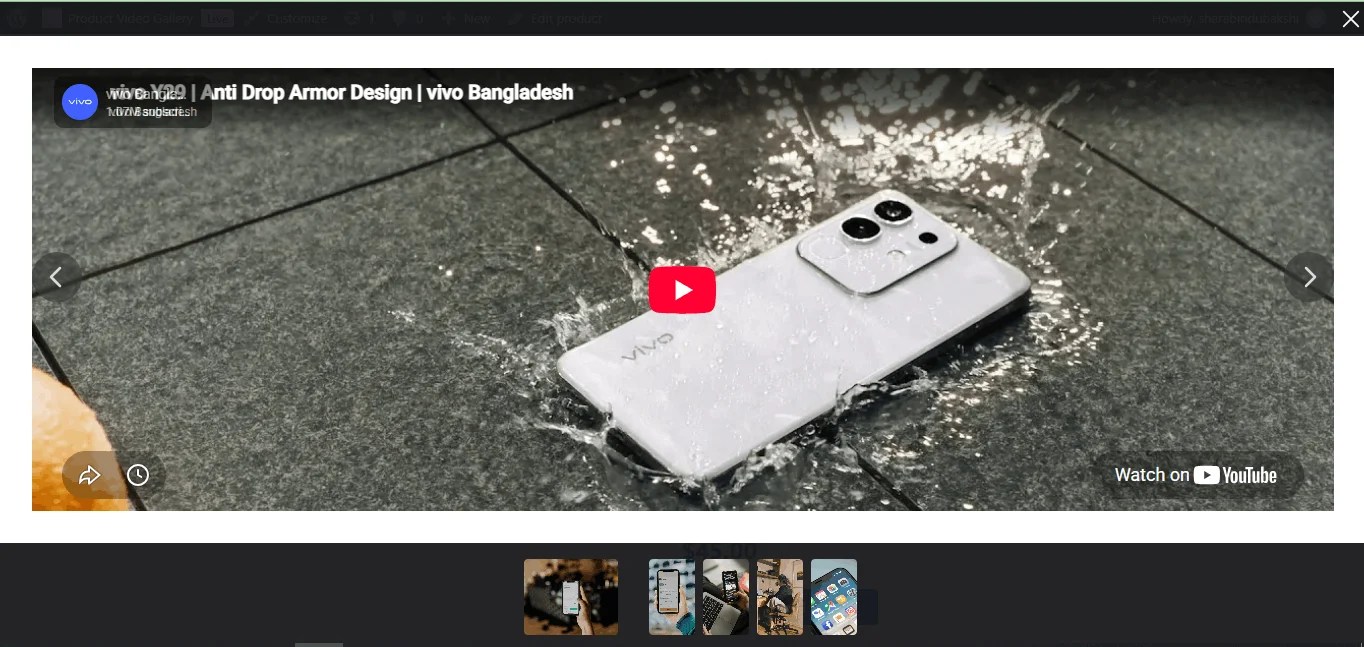
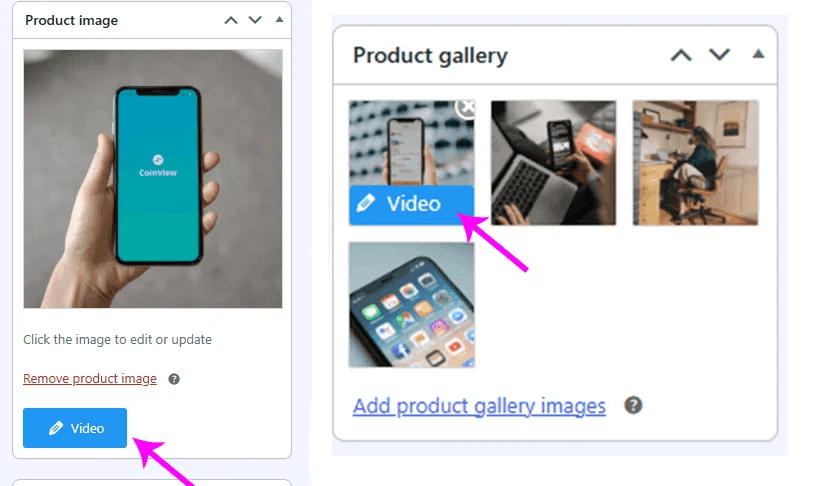
Every image can carry its own video
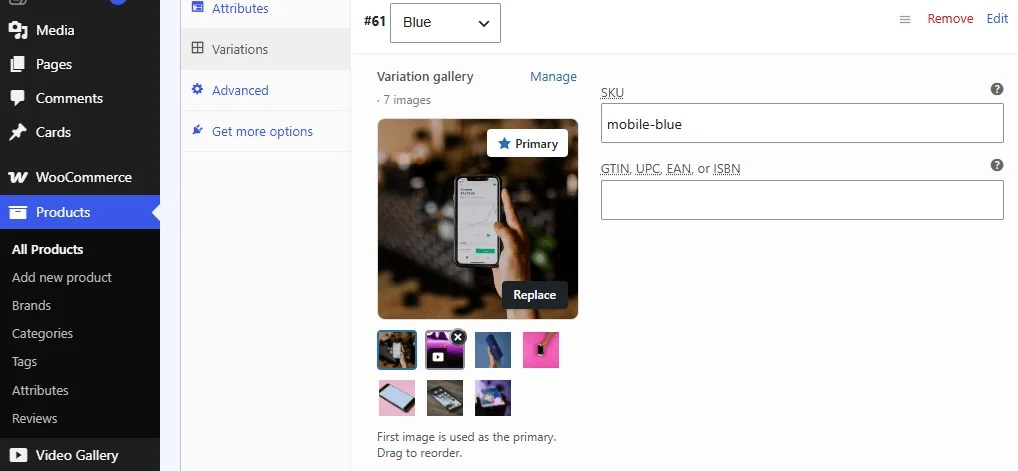
Attach a different video to the featured image and to each gallery image. When a shopper picks a color or size, its own variation gallery and video swap in automatically — no duplicate product setup.


Video follows the product everywhere
Not just the product page — video thumbnails also show up on the shop page, category archives, and search results, so shoppers spot your video content before they even click in.
Know which videos are actually selling
Every play, completion, and add-to-cart is tracked per product — so you can tell which videos are worth the production budget and which aren’t pulling weight.
| Product | Source | Plays | Completion | Orders | Added to cart |
|---|---|---|---|---|---|
| Ceramic Pour-Over Set | Product page | 4,102 | 71% |
318 | 612 |
| Linen Weekender Bag | Shop page | 3,540 | 58% |
204 | 489 |
| Walnut Desk Lamp | Category page | 2,988 | 66% |
176 | 401 |
| Wool Throw Blanket | Product page | 2,145 | 49% |
98 | 255 |
Why Upgrade From Standard WooCommerce?
See how Product Video Gallery outperforms default store capabilities
| Features | Standard Woo | Our Plugin |
|---|---|---|
| Vertical & Horizontal Swiper Sliders | ✕ | ✓ |
| Variation-Specific Videos & Galleries | ✕ | ✓ |
| Multiple Video Sources (YouTube, Vimeo, Self-Hosted MP4) | ✕ | ✓ |
| Shop & Archive Page Video Play Buttons | ✕ | ✓ |
| Embedded Play / Lightbox Popup Support | ✕ | ✓ |
| Built-in Video Sales & View Analytics | ✕ | ✓ |
| Custom Video Badges on Thumbnails | ✕ | ✓ |
| Optimized Lazy Loading for Fast Page Speed | Basic | ✓ |
| Mobile Touch & Swipe Responsive Gallery | Basic | ✓ |
Pricing
Worldwide payments powered by Stripe. Pay easily in USD, EUR, GBP, or your local currency.
Single - 1 Year
Save 26%- 1 Site License
- 1 Year Update
- 1 Year Support
- One-Time Purchase
- No Auto-Renewal
Single - Lifetime
Save 20%- 1 Site License
- Lifetime Update
- Lifetime Validity
- Priority Developer Support
- Pay Once, Use Forever
Standard - Lifetime
Save 25%- 5 Sites License
- Lifetime Update
- Lifetime Validity
- Priority Developer Support
- Pay Once, Use Forever
Business - Lifetime
Save 33%- 25 Sites License
- Lifetime Update
- Lifetime Validity
- Priority Developer Support
- Pay Once, Use Forever
- Secure checkout
- Instant license key after purchase
- No auto-renewal
- No surprise charges

Our 100% Money-Back Guarantee
Take a full 14 days to put WooCommerce Video Gallery Plugin work on your store. If it isn’t the right fit, just reach out — we’ll refund every cent, no questions asked.

Sharabindu Bakshi
Founder, Sharabindu

Frequently Asked Questions (FAQ)
Everything you need to know about the Product Video Gallery plugin.
How does the Product Video Gallery plugin improve WooCommerce?
Unlike standard WooCommerce, our plugin lets you seamlessly add YouTube, Vimeo, and self-hosted MP4 videos to product galleries, variation images, and shop pages with interactive Swiper sliders and lightboxes.
Can I assign specific videos to product variations?
Yes! You can link specific videos or unique video galleries to individual variable products. When a customer selects a variation (e.g., Color or Size), the gallery updates dynamically.
Will video embeds slow down my store's loading speed?
No. The plugin includes built-in lazy loading and lightweight player scripts, ensuring video embeds load efficiently without affecting your core page load performance.
Which video sources are supported?
You can embed videos directly from YouTube, Vimeo, or upload self-hosted MP4 files directly through your WordPress Media Library
Can I display video play buttons on WooCommerce shop/archive pages?
Yes. The plugin allows you to enable play buttons or badges directly on shop, category, and archive page product thumbnails, opening video previews in a lightbox modal.
Is the plugin compatible with WooCommerce updates?
Yes, the WooCommerce Barcode Generator plugin is regularly updated to stay compatible with the latest WooCommerce and WordPress versions.
Can I move my license from one site to another?
Yes, absolutely! If your license is limited to 1 site, you can easily transfer it by following these steps:
Go to the License Page on your old site and click Deactivate License.
Once deactivated, log in to your new site, enter your license key, and click Activate.