⚡ The Most Feature-Rich QR Code Generator for WordPress
Advanced WordPress QR Code Generator by Sharabindu
This plugin automatically generates QR codes for your WordPress site’s pages, posts, WooCommerce products, and orders. Apply a beautiful gradient color QR code to your WordPress website today.
Generate and apply QR codes to your WordPress Site automatically.
Attractive QR code Style
This WordPress plugin will allow you to create gradient color QR codes. You can create eye frame shapes, eyeball shapes for QR codes. With the touch of gradient color, the QR code will become attractive and aesthetic.
Automatically generates QR codes for every WordPress page, post, custom post, and WooCommerce product. This QR code is automatically displayed at the end of the content.
WooCommerce Order QR Code
This plugin generates dynamic QR codes for all WooCommerce products and orders. Once a new order is completed, the QR code will be printed on the order email. Order will help store owner control sales through QR code.
Print your QR codes once and update the destination URL anytime without reprinting.
Set up in under a minute with custom short links and shortcodes, while controlling access through scan limits, start dates, and expiry rules.
How you can benefit from it
Current Page QR Code
The QR code for the current page URL is automatically generated and displayed after the content
Custom QR code
QR codes can be created from any custom link, text or number. Display on the frontend via shortcode
Author QR code
A Author QR code is automatically generated on every user’s dashboard. It is generated from the user’s bio info.
Vcard QR code generator
To create a professional business card with contact details, other info, vCard QR code is a must. Creating vCard QR code is very easy with this plugin.
Bulk vcard QR generator
Create unique vCard QR Codes in bulk and add them to business cards of company employees. it works based on post type
Users QR code for Frontend
wordpress user qrcode is displayed on the front end. A built-in shortcode is used in the template to view the QR code.
Event QR Code
This plugin allows to create event QR codes to promote and coordinate events.
google map QR Code
Generate QR code for Google Map location. The exact location of your business can be revealed through QR codes
email address QR
Email QR Code makes it easy to send an email. This plugin allow to create email QR code
Phone Call QR code
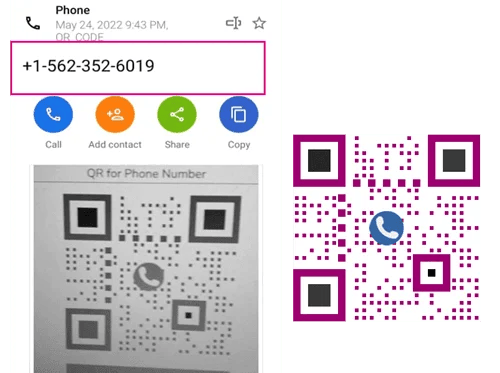
This QR code plugin make QR code for phone numbers. This QR code will help you share your business phone number.
WhatsApp QR Code
Instantly generate WhatsApp QR codes for easy customer messaging.
Popup QR Code View
Display the QR code in a clean popup modal instead of showing the direct image on the page.
WooCommerce QR code
Create dynamic product QR codes, order QR codes, and vCard codes for customers
Product QR Code
Product QR code is generated based on product URL. It also has auto generate and auto display features. The QR code will display in 4 different places on a single product page.
Order QR code
This plugin generates an order QR code for every new order and old order in WoCommerce. This QR code is made up of several components. Like order id, billing address, order details, product details, etc. This QR code appears on order emails and PDF invoices
vCard QR Code for WooCommerce customers
The vcard QR code is generated based on the customer’s basic information which can be found on the customer’s dashboard page
QR codes in order emails
show the QR Code in the WooCommerce order emails that are sent to the customers.
The QR Code plugin generates QR codes for bbPress users. Can generate QR codes for bbPress user profile pages. Similarly, you can generate vCard QR codes based on user profile information.
This plugin generates QR codes for BuddyPress users. Can generate QR codes for BuddyPress users’ profile page. Also, you can generate vCard QR code on Porfile page based on profile information
With this plugin can Create QR codes for Buddyboss users. easilty generate QR codes for Buddyboss users’ profile page. Also, you can generate vCard QR code on Buddyboss Porfile page based on profile information
QR code for Dokan Pluign
QR Code plugin generates QR codes for Dokan vendors. Can generate QR codes for vendor’s profile Page. also, you can generate vendor vCard QR code based on vendor information
User can print post QR code, page QR code, product QR code or custom post QR code in bulk. Print this bulk QR code with taxonomy wise filtering facility from plugin settings page.
Create custom QR codes right from your dashboard and embed them anywhere using blocks. Easily generate QR codes for Current Page URL, custom links, bulk vCards, events, Google Maps, email addresses, phone calls, WhatsApp, and WiFi access.
QR Code Addon for Elementor
The plugin has a built-in addon for Elementor called ‘QR Code Composer’. This addon generates different types of QR codes for Elementor pages.
Test it on your site completely risk-free. If it doesn’t solve your QR code needs, we will refund 100% of your payment, no questions asked.
Sharabindu Bakshi
Founder, Sharabindu
FAQ
Here you can find some frequently asked questions about The QR Code plugin. If you can’t find a reply to your doubts, ask a question. we will reply in a very short time
What is a Dynamic QR code?
A dynamic QR code points to a short link that you control. You can change the destination at any time without reprinting the code. You can also set start and expiry dates, a maximum number of scans, and fallback pages for invalid, inactive, expired or scan-limit-reached links.
Can I track scans?
Yes. The Pro version includes a built-in dashboard showing total scans, daily scans, top links, device type, city, country and referrer. No external service is required.
Do you offer refunds?
Yes. Every purchase has a 14-day money-back guarantee. If the plugin doesn’t fit your needs, we’ll refund 100% of your payment.
Can I use the license on more than one site?
Single covers 1 site, Professional covers 5 sites and Agency covers 25 sites.
Can I renew my annual license?
Annual licenses do not auto-renew. When your license expires, you purchase a new license to continue using Pro.
How do I upgrade from Free to Pro?
Pro is a separate plugin. Buy a license, download and install the Pro plugin from your account, then activate it with your license key. You can then deactivate the Free version.